<?xml version="1.0" encoding="utf-8"?><feed xmlns="http://www.w3.org/2005/Atom" xml:lang="en"><generator uri="https://jekyllrb.com/" version="4.4.1">Jekyll</generator><link href="https://www.uxjovan.com/feed.xml" rel="self" type="application/atom+xml" /><link href="https://www.uxjovan.com/" rel="alternate" type="text/html" hreflang="en" /><updated>2026-10-14T00:09:34+00:00</updated><id>https://www.uxjovan.com/feed.xml</id><title type="html">Jovan Savic</title><subtitle>Jovan Savic is a product (UX/UI) designer. He designs software that combines automated workflows, real-time data and human input, and websites that turn visitors into customers.</subtitle><author><name>Jovan Savic</name></author><entry><title type="html">Is this the best UX prototyping tool?</title><link href="https://www.uxjovan.com/blog/best-UX-prototyping-tool-or-not/" rel="alternate" type="text/html" title="Is this the best UX prototyping tool?" /><published>2020-05-13T09:28:00+00:00</published><updated>2020-05-13T09:28:00+00:00</updated><id>https://www.uxjovan.com/blog/best%20UX%20prototyping%20tool%20or%20not</id><content type="html" xml:base="https://www.uxjovan.com/blog/best-UX-prototyping-tool-or-not/"><![CDATA[<p>Do you want to use real-life data and dynamically show elements in your prototype without creating artboards for every possible combination?</p>

<p>It seems there is a way to create prototypes that are so good, no one will assume it’s not production-ready!</p>

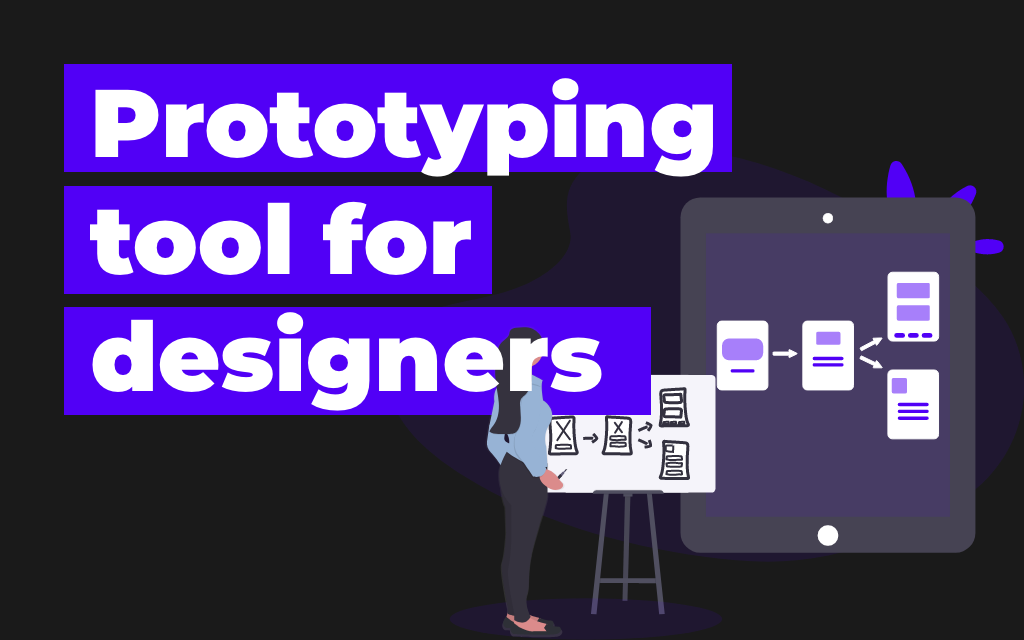
<p><img src="/uploads/framerX.png" alt="framerX.png" /></p>

<p>I got bored by telling friends while early testing ‘Oh, that part is not yet designed, check this one…’! I want more realistic prototypes without creating endless combinations!</p>

<p>And I discovered the new shiny thing, and this one is not interesting just because it’s new, this seems usable too!</p>

<h2 id="this-intro-wont-tell-you-much-about-it-but-feel-free-to-take-a-look">This Intro won’t tell you much about it but feel free to take a look.</h2>

<iframe width="100%" height="315" src="https://www.youtube.com/embed/foSkKVtHkM4" frameborder="0" allow="accelerometer; autoplay; encrypted-media; gyroscope; picture-in-picture" allowfullscreen="" style="margin-top: 2rem; margin-bottom: 2rem;"></iframe>

<h2 id="whats-the-deal-about-it">What’s the deal about it?</h2>

<p>You can use video, maps, login, scroll horizontally/vertically, and more!</p>

<p>Check more about prototype features at <a href="https://www.framer.com/prototyping/" target="_blank">Framer Prototype</a></p>

<p>The good thing for code loving designers is that you can create code components and use React for prototyping! More about Framer &amp; React at <a href="https://www.framer.com/books/framer-guide-to-react/" target="_blank">FRAMER GUIDE TO REACT</a>.</p>

<p>Framer seems like a great tool, I didn’t fully switch from Adobe XD, but as I need to create more realistic prototypes I will transition to Framer.</p>

<p>If you want to get started with Framer you can watch their quick <a href="https://www.framer.com/learn/course/crash-course" target="_blank">Framer 101 Crash Course</a>.</p>

<p>I wish you luck and keep hacking!</p>]]></content><author><name>Jovan Savic</name></author><category term="Tools" /><category term="Prototyping" /><category term="random" /><category term="design tools" /><summary type="html"><![CDATA[Do you want to use real-life data and dynamically show elements in your prototype without creating artboards for every possible combination?]]></summary></entry><entry><title type="html">Editor for Jekyll Blogging 😍😍</title><link href="https://www.uxjovan.com/blog/editor-for-jekyll-blogging/" rel="alternate" type="text/html" title="Editor for Jekyll Blogging 😍😍" /><published>2020-05-12T08:57:00+00:00</published><updated>2020-05-12T08:57:00+00:00</updated><id>https://www.uxjovan.com/blog/editor-for-jekyll-blogging</id><content type="html" xml:base="https://www.uxjovan.com/blog/editor-for-jekyll-blogging/"><![CDATA[<h2 id="im-a-fan-of-jekyll-from-the-early-start-of-my-career-im-using-it-for-every-portfolio-website-i-created-except-one-and-im-using-jekyll-for-client-related-work-as-much-as-possible">I’m a fan of Jekyll from the early start of my career! I’m using it for every portfolio website I created (except one), and I’m using Jekyll for client-related work as much as possible!</h2>

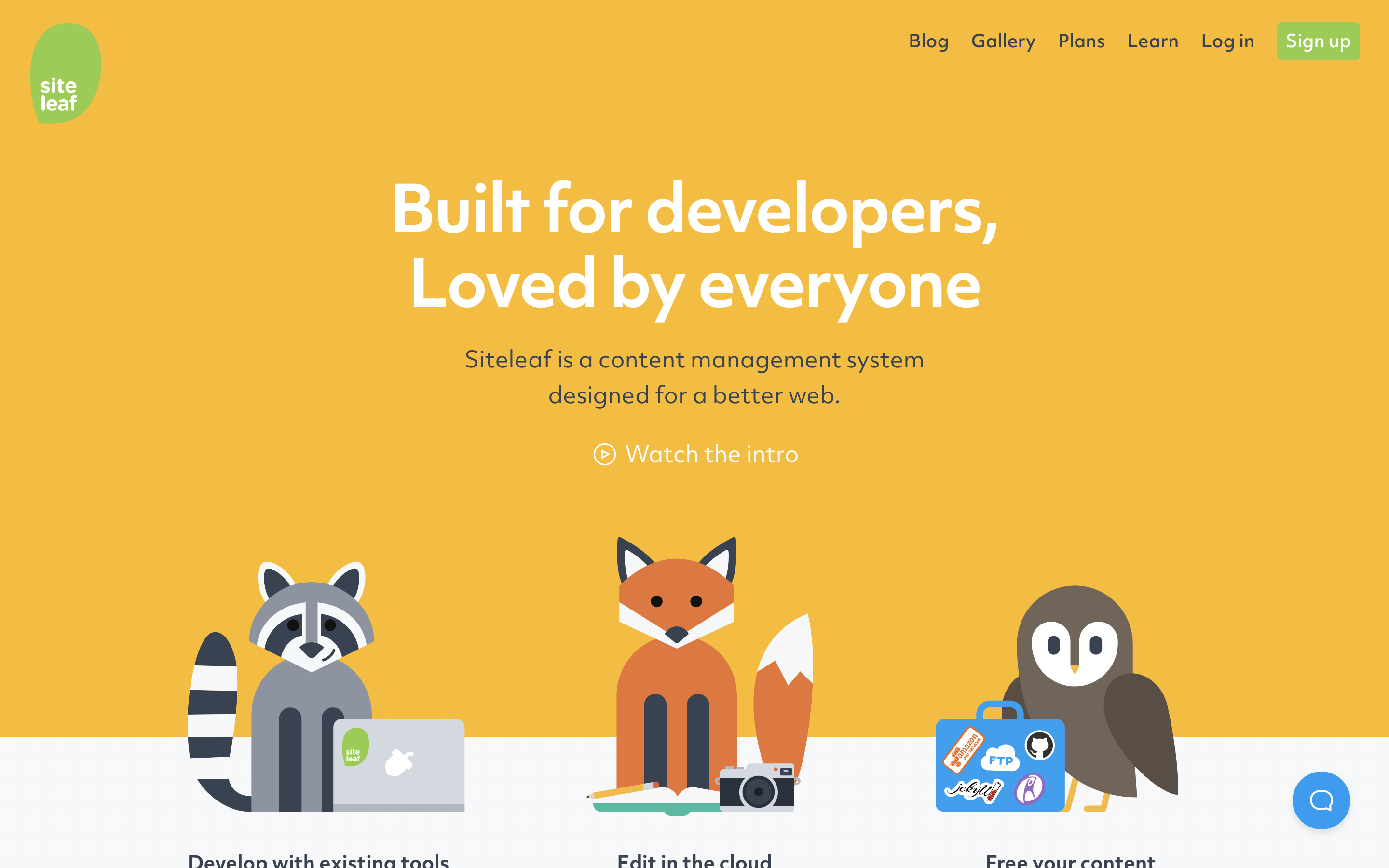
<p><img src="/uploads/siteleaf.png" alt="siteleaf.png" /></p>

<p>Since not that long time ago I wanted to publish posts on my blog, but it can be so ‘painful’ for lazy people like me to blog on Jekyll. 😞 Open editor, create and write markdown, use all naming conventions, add thumbnail into assets, push commits, etc… It all seems so overwhelming 😭</p>

<p>Luckily for lazy people like me, I found <a href="https://www.siteleaf.com/">Siteleaf</a>, and I just needed to connect it with my public GitHub repo, and everything is set!</p>

<p>I’m happy that now I’m able to update my content super fast and from the phone or any other device!</p>

<p>Can’t wait to publish more stuff. See you next time!</p>]]></content><author><name>Jovan Savic</name></author><category term="random" /><category term="Jovan Savic" /><category term="UX Designer" /><summary type="html"><![CDATA[I’m a fan of Jekyll from the early start of my career! I’m using it for every portfolio website I created (except one), and I’m using Jekyll for client-related work as much as possible!]]></summary></entry><entry><title type="html">3 Common UI Design Mistakes &amp;amp; How to Fix them</title><link href="https://www.uxjovan.com/blog/common-ui-mistakes/" rel="alternate" type="text/html" title="3 Common UI Design Mistakes &amp;amp; How to Fix them" /><published>2020-02-20T00:00:00+00:00</published><updated>2020-02-20T00:00:00+00:00</updated><id>https://www.uxjovan.com/blog/common-ui-mistakes</id><content type="html" xml:base="https://www.uxjovan.com/blog/common-ui-mistakes/"><![CDATA[<h2 id="bad-contrast-no-white-space-and-text-inconsistency">Bad contrast, no white space, and text inconsistency.</h2>
<p>These 3 mistakes can make your website look amateur (but don’t worry, everyone made these mistakes), but if you take some time to fix them you will have a great looking website.</p>

<p><img src="/assets/images/blog/3-common-ui-mistakes.png" alt="" style="width: 100%;" /></p>

<h2 id="bad-contrast">Bad contrast</h2>

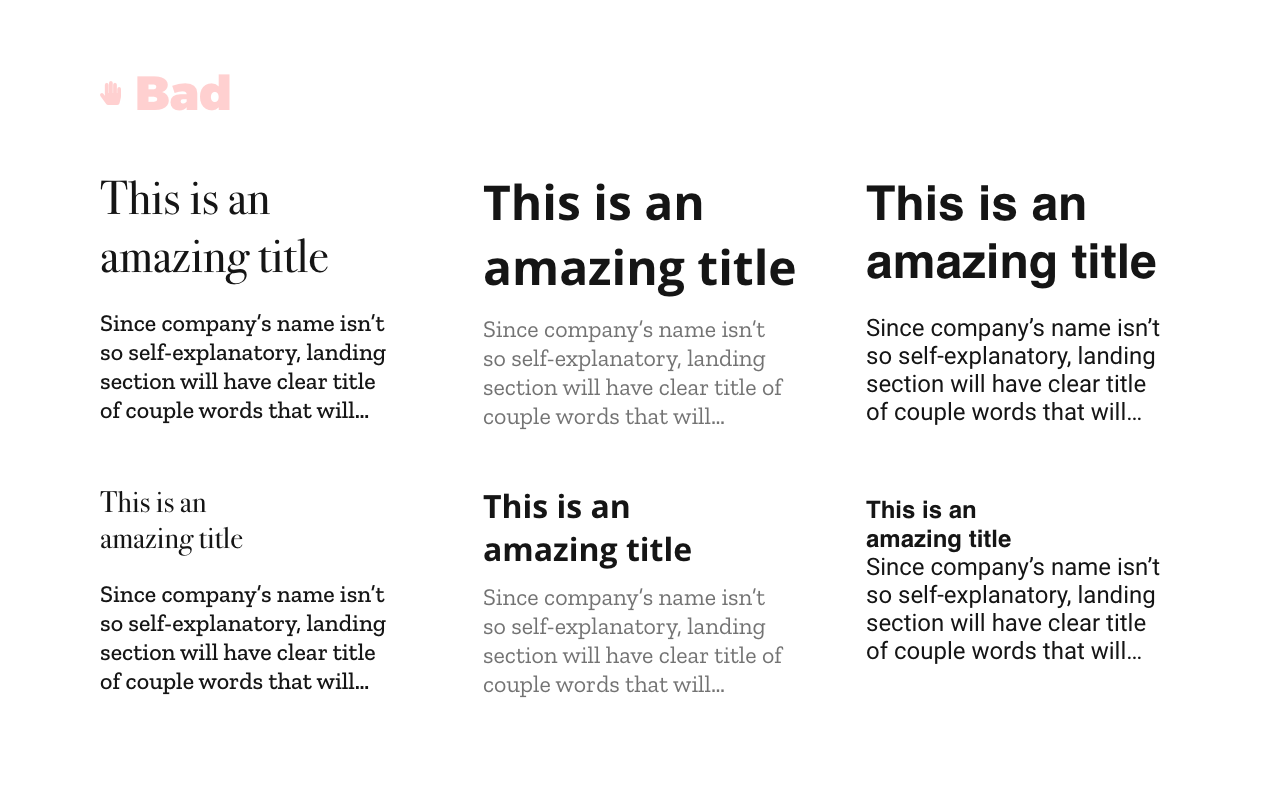
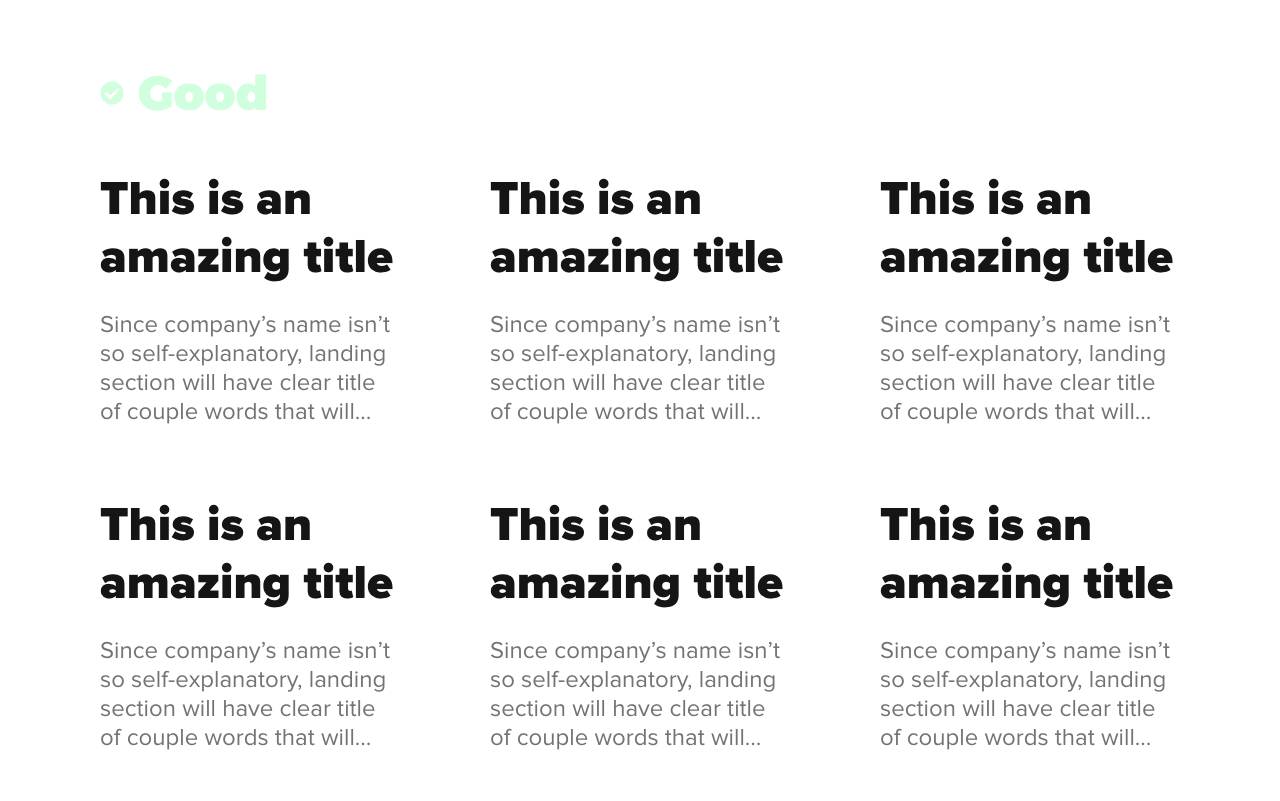
<p>Bad contrast is one of the most common mistakes I see on websites. And I don’t think just about color contrast, I think also about bad contrast when we look at a text or other elements.</p>

<p>As you need to make sure your colors have a good contrast, your text needs also to design so it’s easy to notice what’s important and what not.</p>

<p><img src="/assets/images/blog/ui-mistakes/good-bad-contrast.png" alt="" style="width: 100%;" /></p>

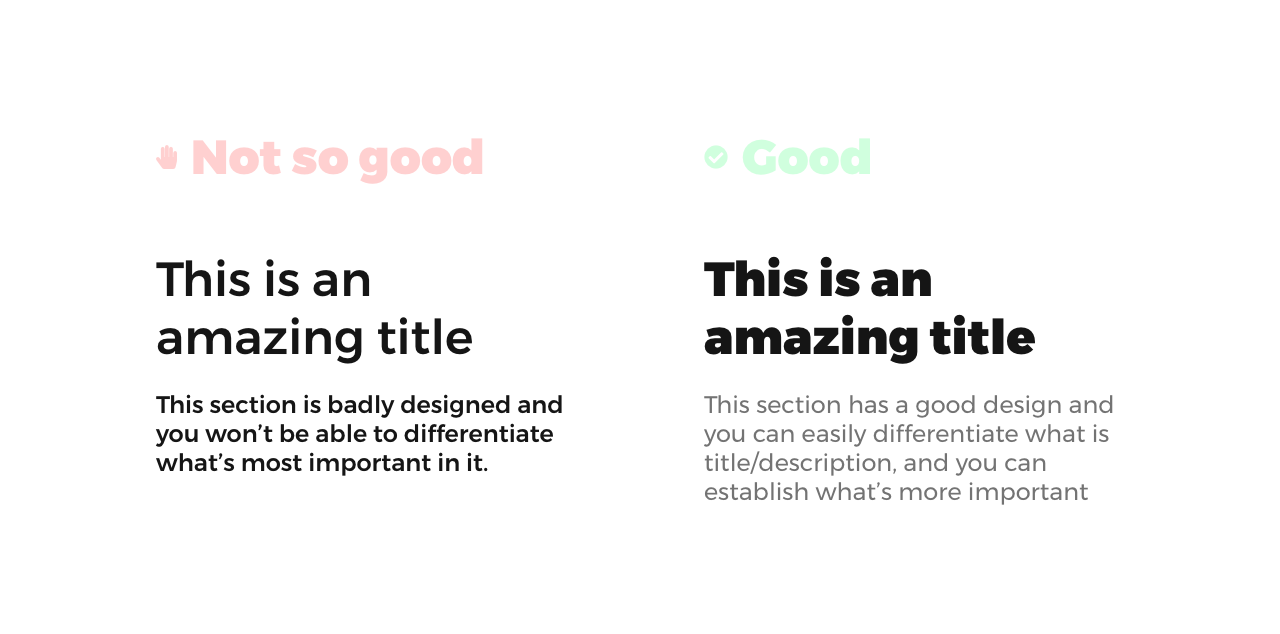
<p>One trick I use to make sure my text has good enough contrast is to double the size/weight by importance.</p>

<p>So, if the title is more important than paragraph beneath it, I would double the size of the title, increase the font-weight, and frequently make it darker than a paragraph.</p>

<p>In the example above, the paragraph has 60% opacity, font size 24px, and font-weight of 400.
The title has 100% opacity, font size 48px, and font-weight of 900.</p>

<p>Bonus tip: Space between title and paragraph is half of title font size (in this case it’s 24px)</p>

<p><br /></p>

<h2 id="no-white-space">No white space</h2>

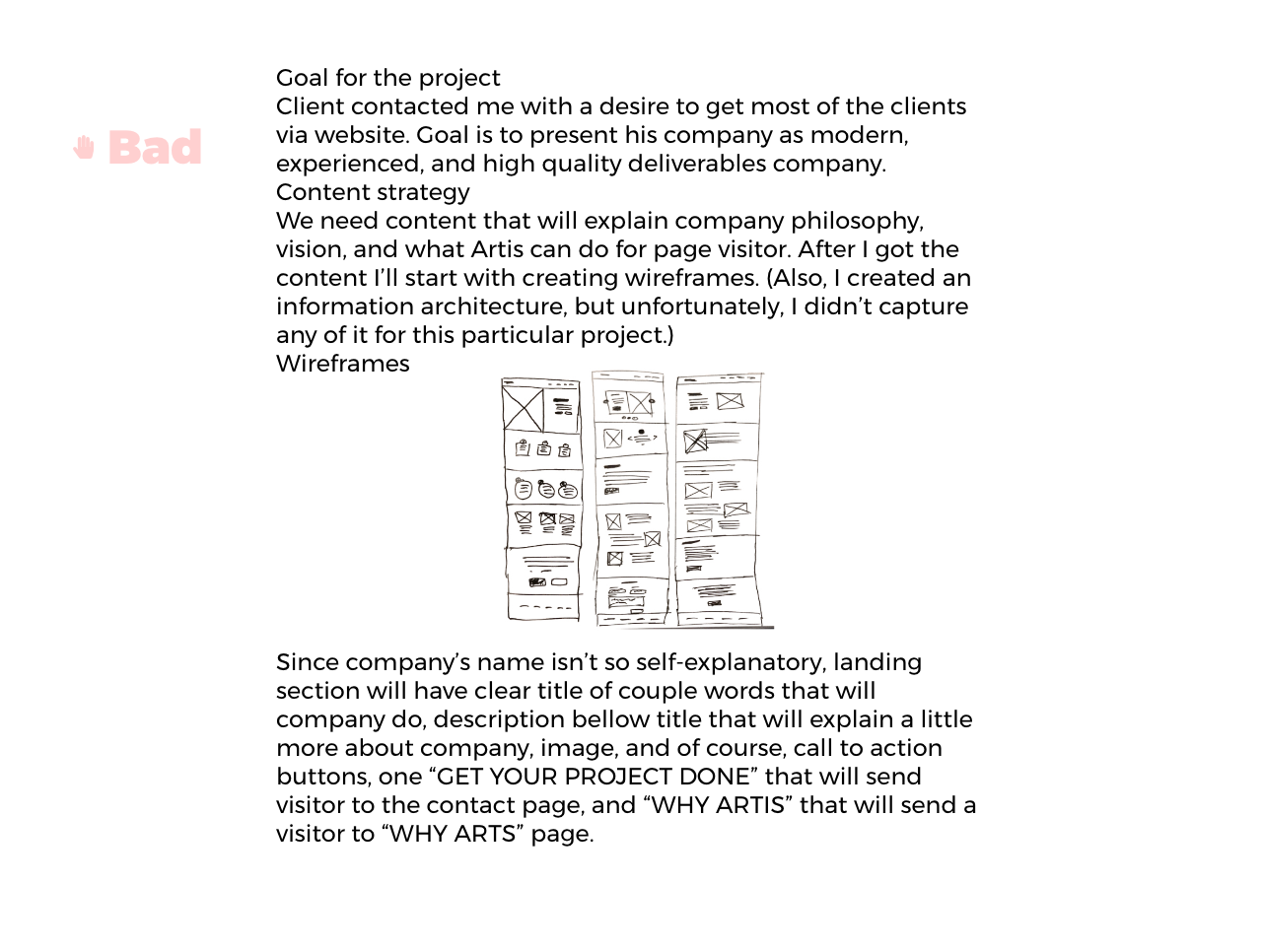
<p>No white space (no negative space) is a space without any content. It doesn’t have to be white, it’s any space without content.</p>

<p>The idea of negative space is to sort content on your website so users can ‘breath’ and won’t be lost in the content. Having a bad negative space is similar to having a messy room and not knowing where to begin with cleaning.</p>

<p>How you can improve negative space on your website:</p>
<ul>
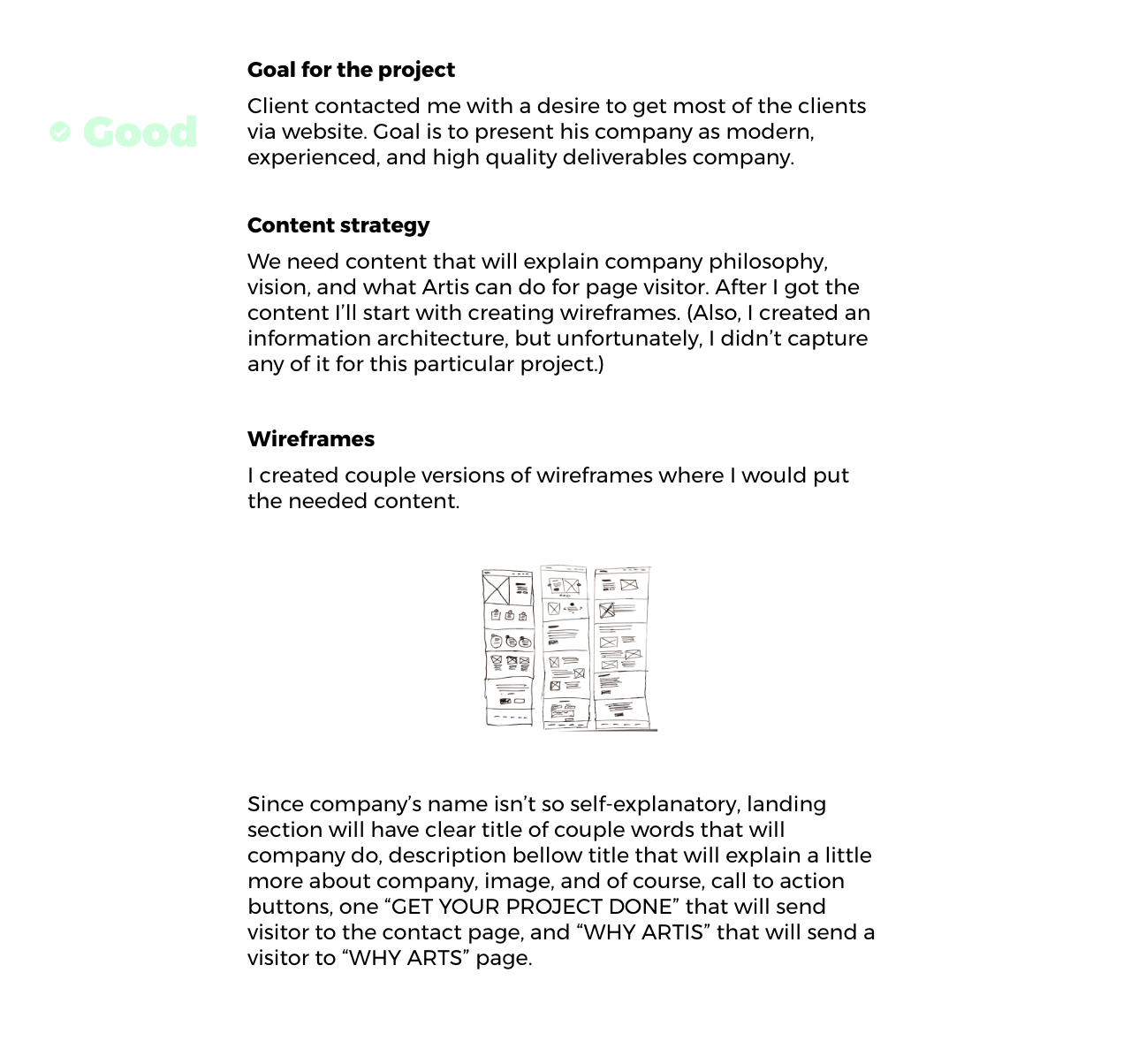
  <li>Separate content in sections with space around/between them,</li>
  <li>Improve spacing between title, subtitle, description, images, etc…</li>
</ul>

<p><img src="/assets/images/blog/ui-mistakes/bad-negative-space.png" alt="" style="width: 100%;" />
<img src="/assets/images/blog/ui-mistakes/good-negative-space.png" alt="" style="width: 100%;" /></p>

<p>We just increase font-weight for a subtitle and added divided content into sections, and our design it’s already better!</p>

<p><br /></p>

<h2 id="text-inconsistency">Text inconsistency</h2>

<p>Don’t use too many colors or too many fonts for your text. You can use multiple font families, but in most cases is not recommended. Just use the same font family with different weight, size, etc.. And, also, be consistent with it. Use the same style for the same element (title, subtitle, button, paragraph, etc..), across all parts of the website.</p>

<p><img src="/assets/images/blog/ui-mistakes/bad-text-inconsistency.png" alt="" style="width: 100%;" />
<img src="/assets/images/blog/ui-mistakes/good-text.png" alt="" style="width: 100%;" /></p>

<h2 id="if-you-improve-those-three-things-you-can-drastically-improve-the-design-of-your-website-and-it-will-look-more-professional-also-your-visitors-will-love-it-and-they-will-enjoy-spending-time-on-your-website-and-convert-more">If you improve those three things, you can drastically improve the design of your website and it will look more professional! Also, your visitors will love it and they will enjoy spending time on your website, and convert more!</h2>]]></content><author><name>Jovan Savic</name></author><category term="ui" /><category term="design" /><category term="ui-design" /><summary type="html"><![CDATA[Bad contrast, no white space, and text inconsistency. These 3 mistakes can make your website look amateur (but don’t worry, everyone made these mistakes), but if you take some time to fix them you will have a great looking website.]]></summary></entry><entry><title type="html">Should Designers Learn to Code? - Answered by a designer who can do both</title><link href="https://www.uxjovan.com/blog/should-designers-learn-to-code-answered-by-a-designer-who-can-do-both/" rel="alternate" type="text/html" title="Should Designers Learn to Code? - Answered by a designer who can do both" /><published>2020-02-12T00:00:00+00:00</published><updated>2020-02-12T00:00:00+00:00</updated><id>https://www.uxjovan.com/blog/should%20designers%20learn%20to%20code?%20-%20answered%20by%20a%20designer%20who%20can%20do%20both</id><content type="html" xml:base="https://www.uxjovan.com/blog/should-designers-learn-to-code-answered-by-a-designer-who-can-do-both/"><![CDATA[<h2 id="both-yes-and-no">Both, yes and no!</h2>
<p>Yes, designers should know something about technologies used by developers to bring designs to life.</p>

<p>No, designers should focus on psychology, improving user experience, selling, and other things that will make their designs better.</p>

<p><img src="/assets/images/blog/should-you-learn-code.png" alt="" style="width: 100%;" /></p>

<p>Designers and Developers need to work together. Combining both will give the best results. If there is a great collaboration between two, products, websites, etc. will be better and things will go smoothly.</p>

<p><br /></p>

<p>Designer should know the limits of coding. Again, imagine holding a ball in your hands and you want to kick it longest possible. Knowing where to throw it (not too near or too far),  so you can kick it out with your leg is very important. Same with design, knowing the limitations of coding can be useful in your design process. You don’t want to deliver an amazing looking design that will be badly executed.</p>

<p><br /></p>

<h3 id="to-summarize-learn-code-good-enough-to-understand-limitations-of-it-instead-of-going-deep-into-code-go-deep-into-psychology-selling-learning-how-to-interview-users-etc-and-that-way-your-designs-will-have-the-biggest-impact">To summarize, learn code good enough to understand limitations of it. Instead of going deep into code, go deep into psychology, selling, learning how to interview users, etc. and that way your designs will have the biggest impact.</h3>]]></content><author><name>Jovan Savic</name></author><category term="ux" /><category term="design" /><category term="ux-design" /><summary type="html"><![CDATA[Both, yes and no! Yes, designers should know something about technologies used by developers to bring designs to life.]]></summary></entry><entry><title type="html">What is UX design? - Explained by UX Designer</title><link href="https://www.uxjovan.com/blog/what-is-ux-design/" rel="alternate" type="text/html" title="What is UX design? - Explained by UX Designer" /><published>2020-02-05T00:00:00+00:00</published><updated>2020-02-05T00:00:00+00:00</updated><id>https://www.uxjovan.com/blog/what-is-ux-design</id><content type="html" xml:base="https://www.uxjovan.com/blog/what-is-ux-design/"><![CDATA[<h1 id="what-is-user-experience-ux">What is user experience (UX)?</h1>
<p>User experience is every interaction with products you ever had. From driving a bike to downloading and using an app. How did you feel when you tried to open that package, or when you went somewhere and wait a long long time? Bad? Well, that’s probably some bad user experience. How did you feel when you opened that new iPhone box? Good? That’s because of good User Experience!</p>

<p><img src="/assets/images/blog/what-is-ux-design.png" alt="" style="width: 100%;" /></p>

<h2 id="what-is-user-experience-design">What is User Experience Design?</h2>
<p>UX Design is improving the existing experience so that products can be more useful, usable, and desirable. 
<br /><br /></p>
<ul>
  <li>Useful: Does a product serve the purpose?</li>
  <li>Usable: How easy is it to use a product?</li>
  <li>Desirable: How does the product look? Do you wanna use it?</li>
</ul>

<p><br /></p>

<p>Most of the people reading are interested in the digital part of UX design, like Web, App, or Software UX design. But UX design is not limited to things just mentioned. 
<br /></p>

<p>UX Designer can also be someone who designs doors, packages, chairs, etc. Most of the people who are working in one part of the industry won’t work in another. So if you are a UX Designer for doors, you probably won’t be interested in Software UX Design, and vice versa.
<br /><br /></p>
<h2 id="what-digital-ux-designer-does">What Digital UX Designer does?</h2>

<p>If you are designing a web application, as every UX designer you are trying to improve those three things we mentioned before. 
<br /><br />
Your job would be something like improving how a user logs in or register, how it will order something and many more things. Your main goal would be to improve the experience for tasks that users and/or company care about the most. Maybe the user doesn’t care about paying for something every month, but you can bet the company will make it easy to setup auto-charging for a subscription every month!
<br /><br /><br /></p>

<p>If you want to become a UX Designer, one of the most important things to learn is to have empathy for a user. Being able to put yourself in someone’s shoes will help you to better understand their problems and needs.
<br /><br /><br /></p>

<h2 id="ux-design-is-improving-how-people-feel-before-while-and-after-interacting-with-a-product-no-matter-which-category-a-product-is-a-part-of">UX Design is improving how people feel before, while, and after interacting with a product (no matter which category a product is a part of).</h2>]]></content><author><name>Jovan Savic</name></author><category term="ux" /><category term="design" /><category term="ux-design" /><summary type="html"><![CDATA[What is user experience (UX)? User experience is every interaction with products you ever had. From driving a bike to downloading and using an app. How did you feel when you tried to open that package, or when you went somewhere and wait a long long time? Bad? Well, that’s probably some bad user experience. How did you feel when you opened that new iPhone box? Good? That’s because of good User Experience!]]></summary></entry><entry><title type="html">Detect dark or light mode with CSS</title><link href="https://www.uxjovan.com/blog/check-for-dark-or-light-mode-with-css/" rel="alternate" type="text/html" title="Detect dark or light mode with CSS" /><published>2020-01-21T00:00:00+00:00</published><updated>2020-01-21T00:00:00+00:00</updated><id>https://www.uxjovan.com/blog/check-for-dark-or-light-mode-with-css</id><content type="html" xml:base="https://www.uxjovan.com/blog/check-for-dark-or-light-mode-with-css/"><![CDATA[<h2 id="how-to-check-users-preferred-theme-mode">How to check users preferred theme mode?</h2>
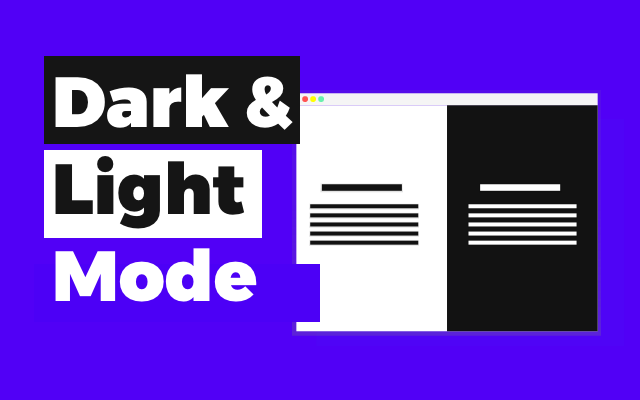
<p>You can do it easily with the amazing <strong>prefers-color-scheme</strong> media feature. Scroll down for more.</p>

<p><img src="/assets/images/blog/dark-and-light-mode.png" alt="" style="width: 100%;" />
<br /></p>

<h2 id="dark-mode-check">Dark mode check</h2>
<p></p>
<blockquote>
  <h2 id="prefers-color-scheme-dark">prefers-color-scheme: dark</h2>
</blockquote>

<p>Indicates that user has notified the system that they prefer an interface that has a dark theme.</p>

<p>When you want a style that applies to users with dark mode turned on, add your style inside media query below. If we want the black background and white text for dark mode users, we will type something like this:</p>

<div class="language-css highlighter-rouge"><div class="highlight"><pre class="highlight"><code>
  <span class="k">@media</span> <span class="p">(</span><span class="n">prefers-color-scheme</span><span class="p">:</span> <span class="n">dark</span><span class="p">)</span> <span class="p">{</span>
    <span class="nt">body</span> <span class="p">{</span>
      <span class="nl">background-color</span><span class="p">:</span> <span class="nx">black</span><span class="p">;</span>
      <span class="nl">color</span><span class="p">:</span> <span class="nx">white</span><span class="p">;</span>
    <span class="p">}</span>
  <span class="p">}</span>
</code></pre></div></div>
<p><br /></p>

<h2 id="light-mode-check">Light mode check</h2>
<p></p>
<blockquote>
  <h2 id="prefers-color-scheme-light">prefers-color-scheme: light</h2>
</blockquote>

<p>Indicates that user has notified the system that they prefer an interface that has a light theme.</p>

<p>When you want a style that applies to users with ligh mode turned on, add your style inside media query below. If we want the white background and black text for light mode users, we will type something like this:</p>

<div class="language-css highlighter-rouge"><div class="highlight"><pre class="highlight"><code>
  <span class="k">@media</span> <span class="p">(</span><span class="n">prefers-color-scheme</span><span class="p">:</span> <span class="n">light</span><span class="p">)</span> <span class="p">{</span>
    <span class="nt">body</span> <span class="p">{</span>
      <span class="nl">background-color</span><span class="p">:</span> <span class="nx">white</span><span class="p">;</span>
      <span class="nl">color</span><span class="p">:</span> <span class="nx">black</span><span class="p">;</span>
    <span class="p">}</span>
  <span class="p">}</span>
</code></pre></div></div>

<p><br /></p>

<h2 id="there-is-a-third-option-when-a-user-didnt-set-darklight-mode">There is a third option. When a user didn’t set dark/light mode.</h2>
<p></p>
<blockquote>
  <h2 id="prefers-color-scheme-no-preference">prefers-color-scheme: no-preference</h2>
</blockquote>

<p>Indicates that the user has made no preference known to the system. This keyword value evaluates to false in the boolean context.</p>]]></content><author><name>Jovan Savic</name></author><category term="design" /><category term="development" /><category term="products" /><summary type="html"><![CDATA[How to check users preferred theme mode? You can do it easily with the amazing prefers-color-scheme media feature. Scroll down for more.]]></summary></entry><entry><title type="html">I published App I been working on and this happened…</title><link href="https://www.uxjovan.com/blog/published-cross-platform-app/" rel="alternate" type="text/html" title="I published App I been working on and this happened…" /><published>2020-01-05T00:00:00+00:00</published><updated>2020-01-05T00:00:00+00:00</updated><id>https://www.uxjovan.com/blog/published-cross-platform-app</id><content type="html" xml:base="https://www.uxjovan.com/blog/published-cross-platform-app/"><![CDATA[<p><img src="/assets/images/blog/published-cross-platform-app.png" alt="" style="width: 100%;" /></p>

<p>Some time ago, I needed a time tracking app for some of my projects. The good thing is that there is a lot of time tracking apps!
But, of course, If I were satisfied with some of them, I wouldn’t make this post :D</p>

<p>I wanted a really simple app, just to track my projects and if it’s possible to somehow remind me when to start and stop. Oh, and if there is an app to just stop tracking automatically when I stop working.</p>

<p>After using Toggle for some time, I decided to try designing an app that will suit my needs.</p>

<p>The design was nice, I thought, and I even knew Front-End, but I didn’t want another web time tracker. I didn’t want another tab or window open, I wanted something simple and easy to use.</p>

<p><br /></p>

<h2 id="so-i-decided-to-quit">So I decided to quit</h2>

<p>But this year, I started experimenting with something called Electron.js, and it was mind-blowing. I couldn’t believe I can write HTML, CSS, JS, and create an app for macOS, Windows, and Linux, and all that with just one codebase. IT WAS AMAZING!</p>

<p><br /></p>

<h2 id="so-i-started-working-on-it-again">So I started working on it again</h2>

<p>I found Angular-Electron starter kit on GitHub, and slowly started with slicing design screen by screen.</p>

<p>It was an amazing experience. There were so many things that were harder than I expected to be, and there were so many easy to do things that I expected to be hard.</p>

<p>I finally published 1.0.0 version :D</p>

<p>I published a post on <a href="https://www.producthunt.com/posts/the-track">Product Hunt</a>, and if you are curious about it, you can visit <a href="https://thetrack.app/">The Track Website</a>.</p>

<p><br /></p>

<h4 id="feel-free-to-leave-harsh-feedback">Feel free to leave harsh feedback.</h4>

<p>I’m planning to launch more products and getting real feedback will prevent me from making the same mistakes again.</p>

<p>The Track GIF:</p>

<p><img src="https://thepracticaldev.s3.amazonaws.com/i/oidsszeum2ft5hpmfkpg.gif" alt="The Track - Personal Time Tracker" /></p>]]></content><author><name>Jovan Savic</name></author><category term="design" /><category term="development" /><category term="products" /><summary type="html"><![CDATA[]]></summary></entry><entry><title type="html">Yes! It’s possible to create a cross-platform software without knowing a backend language.</title><link href="https://www.uxjovan.com/blog/create-a-cross-platform-software-without-knowing-a-backend-language/" rel="alternate" type="text/html" title="Yes! It’s possible to create a cross-platform software without knowing a backend language." /><published>2019-08-05T00:00:00+00:00</published><updated>2019-08-05T00:00:00+00:00</updated><id>https://www.uxjovan.com/blog/create-a-cross-platform-software-without-knowing-a-backend-language</id><content type="html" xml:base="https://www.uxjovan.com/blog/create-a-cross-platform-software-without-knowing-a-backend-language/"><![CDATA[<p>If me, as Web Designer managed to successfully build cross-platform (OSX, Windows, Linux) software, with user authentication and real-time database, then you can either!</p>

<p><img src="/assets/images/blog/back-end-for-designers.png" alt="" style="width: 100%;" /></p>

<h3 id="why-would-we-do-something-like-that">Why would we do something like that?</h3>

<p>All of us have ideas that could help someone or that are just cool. Unfortunately, so many times we don’t have the power to implement the whole idea by ourselves and we just quit. That’s happened to me too. 
I’m from the Web world, designer, who knows nothing about the backend (I know something about front-end tho), and I wanted to create a desktop app.</p>

<blockquote>
  <p>I was thinking ‘Naah, maybe sometimes in the future when I find someone who likes an idea’.</p>
</blockquote>

<p>But there is a technology that could help me do it, I just couldn’t remember it at that moment.</p>

<p>I was hyped about the idea of a cross-platform app with HTML, CSS, JS, via <a href="https://electronjs.org/">Electron JS</a>. When I saw that <strong>Visual Code, Skype, Atom, Slack</strong> and many more apps I’m familiar with were built with Electron It was final, I decided to use Electron to build App I wanted.</p>

<p>With Electron I can use Local and Session Storage, and that’s something I already used to store data for begging.</p>

<p>After I created a functional app (Front-End and used local storage for storing data) I start looking more into Firebase since I wanted to have DB so a user can sync data on all devices.</p>

<p>With the help of <a href="https://www.youtube.com/channel/UCsBjURrPoezykLs9EqgamOA">Fireship</a> and <a href="https://www.youtube.com/channel/UCVyRiMvfUNMA1UPlDPzG5Ow">Coursetro</a> videos I successfully integrated the electron-angular app with Firestore. 
Finally, users could register/login and use all apps features. They can customize an app, track time and use every feature regardless of the platform.</p>

<p>All this couldn’t be possible without this amazing <a href="https://github.com/maximegris/angular-electron">repo</a> for Angular and Electron, Stack Overflow, and amazing tutorials on Youtube.</p>

<h3 id="i-published-app-on-product-hunt-got-better-than-expected-results-and-you-can-take-a-look-at-the-track-website">I published app on <a href="https://www.producthunt.com/posts/the-track">Product Hunt</a> (Got better than expected results), and you can take a look at <a href="https://thetrack.app/">The Track Website</a>.</h3>

<p>It’s great to know that you could create Software or App without being a big expert on native programming languages, database, etc… I will probably try in the future and React Native or Ionic Framework if I get an idea for a mobile app.</p>

<blockquote>
  <p>Long-time ago, to make your idea happen you would need a team of developers to create an app for different platforms (Not mentioning user auth, DB, etc…). It’s amazing how nowadays with the right tools we can make our idea into reality so easy.</p>
</blockquote>

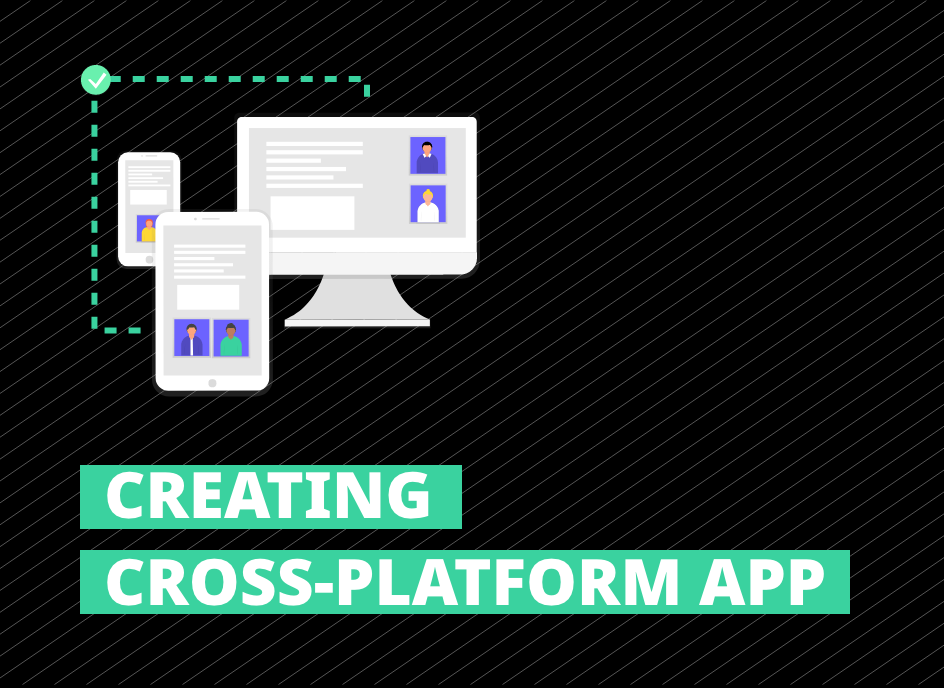
<p><img src="https://thepracticaldev.s3.amazonaws.com/i/m56otj2rhnshyuvc73dp.png" alt="Creating Cross Platforms App" /></p>]]></content><author><name>Jovan Savic</name></author><category term="design" /><category term="development" /><category term="products" /><category term="electron" /><summary type="html"><![CDATA[If me, as Web Designer managed to successfully build cross-platform (OSX, Windows, Linux) software, with user authentication and real-time database, then you can either!]]></summary></entry></feed>