
Page to Figma
A Chrome extension that copies any web page, or one element of it, into Figma as editable frames: real layers and text, not a flat screenshot.
How it works
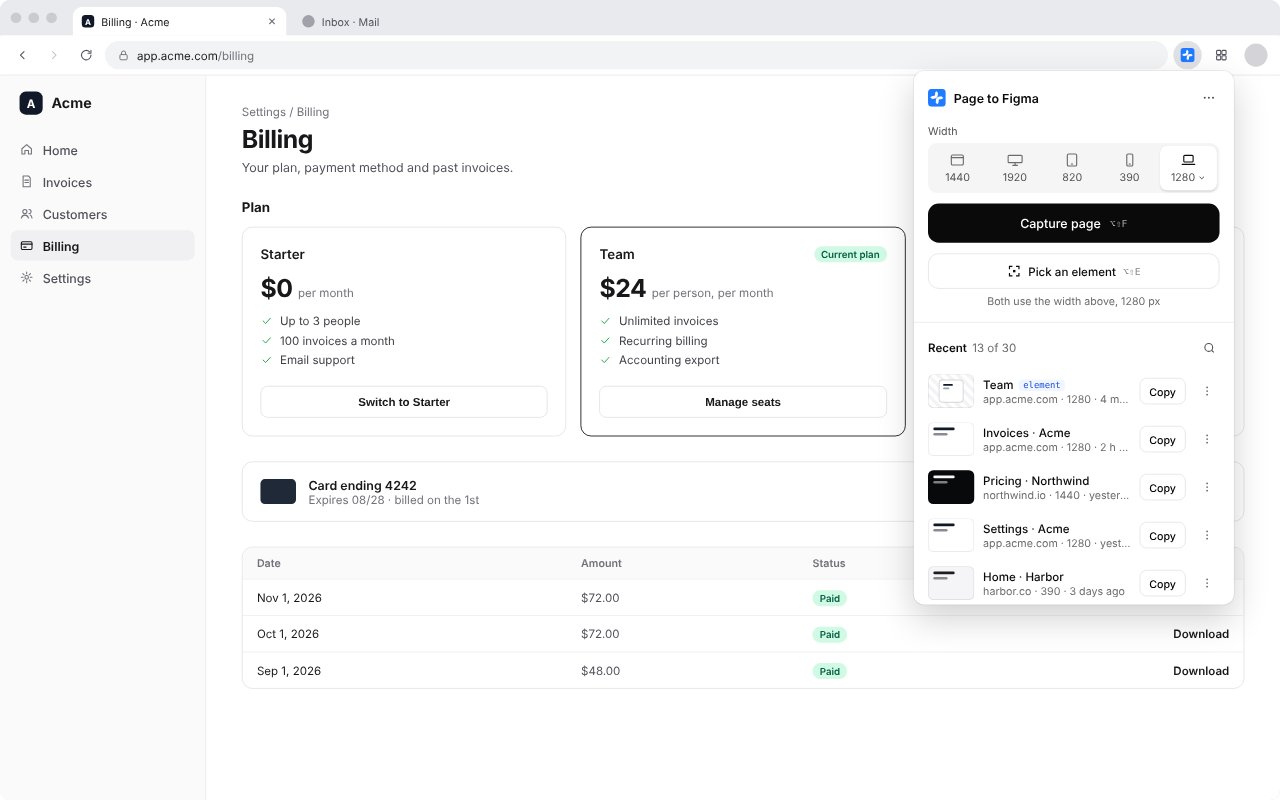
- Open the page and click Page to Figma in the toolbar.
- Choose a width.
- Press Capture page, or Pick an element and click the part you want.
- Press Copy, then paste in Figma.
Any width, on any monitor
Pick your window, desktop 1440, iPad 820, iPhone 390, laptop 1280, large desktop 1920 or a custom width. The page is laid out at that width before it is captured, so you get the layout your users see.
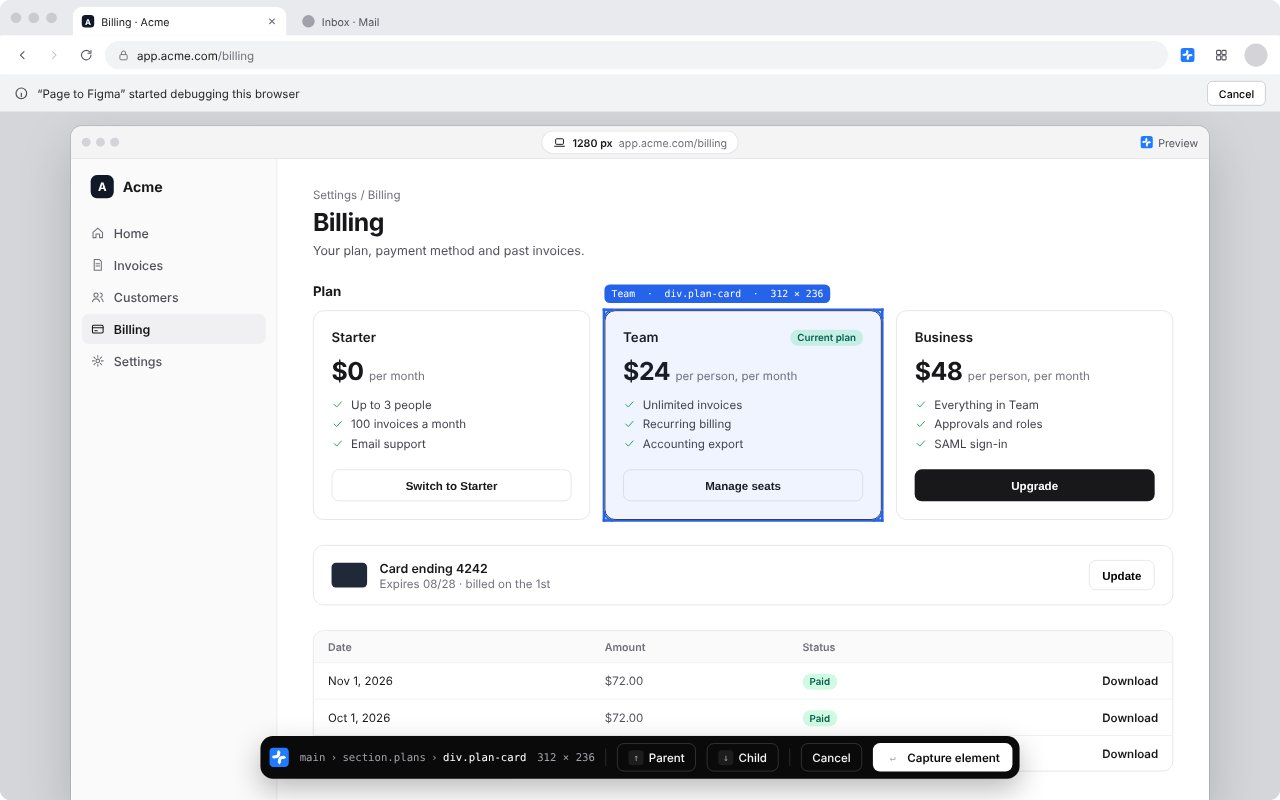
Pick one element
Capture a pricing card, a nav bar or a table instead of the whole page. Point to outline it, click to select, step to its parent or child with the arrow keys, and press Enter.
Signed-in pages work
It reads the page in your own browser, so dashboards and apps behind a sign-in come through as they are.
Recent captures
Your last 30 captures stay in the extension, so you can copy one again without capturing it again.
Keyboard shortcuts
Alt+Shift+F (⌥⇧F on a Mac) captures the page, Alt+Shift+E (⌥⇧E) starts picking an element.
Nothing leaves your computer
No server, no account, no analytics. Captures are stored only in your browser.
Page to Figma is not affiliated with or endorsed by Figma.